
Work Remotely – The idea sounds almost too good — swapping a home office for red dirt tracks and canyon views while still keeping the pay cheque coming in. But for a growing number of Australians, the mobile 4WD office isn’t a fantasy. It’s a functional, increasingly well-equipped reality.
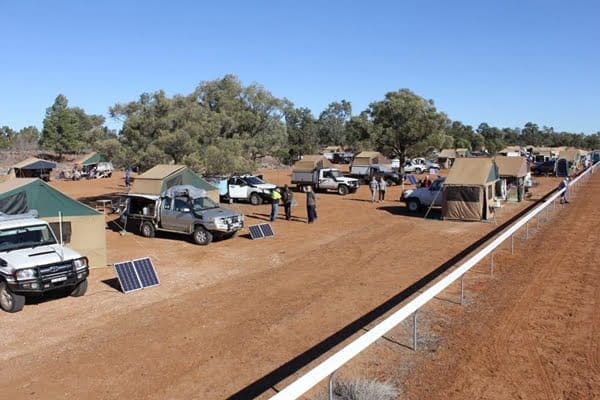
The real question is whether the technology has caught up with the lifestyle.
It has, mostly. A few years ago, patchy mobile coverage and unreliable power made remote work genuinely difficult beyond the suburbs. Today, the gap between a city desk and a bush camp has narrowed considerably — provided you’ve done the homework on your setup.
Staying Entertained When Signal Drops
Even the best Starlink setup drops out in deep gorges or during heavy weather. Knowing how to fill those gaps matters more than most travellers anticipate. Downloaded content — films, podcasts, ebooks — covers the obvious ground. But downtime off-grid also creates opportunities that a city schedule rarely allows.
This is where travellers tend to experiment with leisure options they wouldn’t ordinarily explore. Some catch up on reading or photography editing; others look into entertainment platforms they’d never tried at home. Those curious about digital gaming platforms, for instance, sometimes browse options like casino apps australia to find something that works offline or on limited data. The point is that unstructured time in beautiful places tends to spark new habits.
Work Remotely – Power and Connectivity on the Tracks
Power is the foundation of any mobile office, and modern 4WD builds handle this surprisingly well. Dual-battery systems paired with lithium batteries and a 200W solar panel can sustain a full workday without touching the starter battery. Starlink Mini draws just 25–40 watts, meaning a 100Ah lithium battery alone can run it for roughly 30 hours — and solar tops that up continuously through the day.
Connectivity itself has transformed. Starlink’s Australian rollout now covers most of the continent with speeds suitable for video calls, file uploads, and cloud work. Mobile black spots still exist well beyond towns, and Telstra remains the safest bet for cellular fallback, but satellite internet has effectively removed the connectivity barrier for most remote-work scenarios.
What Remote Workers Actually Need Off-Grid
The honest checklist is shorter than people expect. A reliable power source, satellite internet, a decent laptop, and somewhere comfortable to sit and focus — that covers about 90% of what remote work actually demands. The harder part is managing power consumption across a full day.
Turning your 4×4 into a functioning off-grid office requires monitoring power draw across every device, from laptops and lighting to modems and phone chargers. Portable power stations like the EcoFlow range add useful flexibility, acting as a buffer between your auxiliary battery and your devices. An inverter handles anything that needs 240V, while a 12V-to-USB setup keeps lower-draw gear running efficiently.
Gear Worth Adding Before You Head Out to Work Remotely
A few additions make the difference between a functional mobile setup and a frustrating one. A roof rack-mounted solar panel keeps your system charging while you drive, which matters on longer travel days. Good cable management and weatherproof storage for electronics prevent the kind of damage that ends a trip early.
Preparing properly for a remote 4WD trip means accounting for communication gear, power redundancy, and recovery equipment alongside the usual camping essentials. A PLB or satellite communicator is non-negotiable for solo travellers or anyone pushing into genuinely remote country. Beyond safety, a quality camp chair and a shaded awning create the kind of working environment that makes staying productive feel less like a compromise and more like a genuine upgrade. Get those basics right, and the 4WD office stops being a workaround and starts being the preferred option.